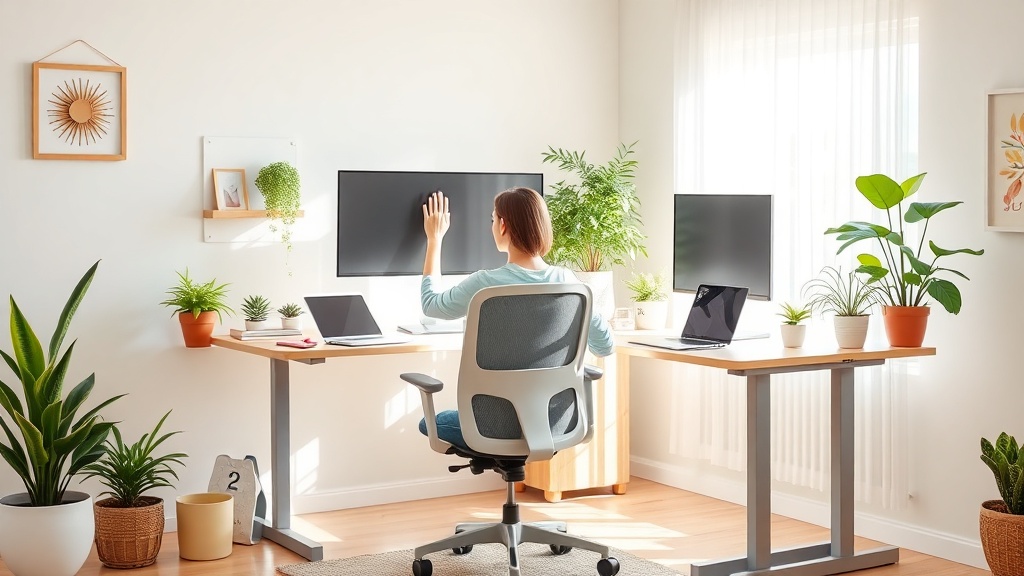
Spring Refresh Your Home Office: Ergonomic Upgrades for Remote Workers

Hook
Ever feel like your home office chair is a daily reminder that you’ve been sitting wrong for years? You’re not alone—remote workers worldwide are swapping out creaky desks for ergonomic upgrades, and you can do it this spring without breaking the bank.
Context
Spring isn’t just about fresh flowers; it’s the perfect moment to reassess the space where you spend most of your waking hours. A few thoughtful tweaks can turn a cramped, uncomfortable nook into a posture‑friendly, productivity‑boosting sanctuary. Let’s dive into practical, budget‑friendly upgrades you can make this month.
What Are the Core Elements of Home‑Office Ergonomics?
Ergonomics is all about designing your environment to fit your body, not the other way around. The three pillars you’ll focus on are seat, screen, and movement.
- Seat — A chair that supports your lower back, keeps hips at a 90‑degree angle, and lets your feet rest flat on the floor.
- Screen — Eye‑level monitor distance (about an arm’s length) to avoid neck strain.
- Movement — Frequent micro‑breaks and adjustable height to alternate between sitting and standing.
“I used to work at a kitchen table for months until I realized my neck was permanently stuck in a forward‑leaning position. A cheap ergonomic chair changed everything.” — Renna Kowalski
How Can I Upgrade My Chair Without Spending a Fortune?
1️⃣ Add a Lumbar Pillow or DIY Roll‑Up
A simple lumbar pillow (often under $15) restores the natural curve of your spine. If you’re really pinching pennies, a rolled‑up towel works just as well.
Why it matters: The American Chiropractic Association reports that proper lumbar support can reduce lower‑back pain by up to 60% (ACA, 2024).
2️⃣ Adjust Seat Height and Tilt
Most office chairs have a lever for height and a knob for tilt. Set the seat so your knees are level with or slightly below your hips; your forearms should rest parallel to the floor when typing.
Pro tip: Use a small stack of books under the seat if the chair can’t go low enough.
Which Affordable Desk Solutions Give Me Height Flexibility?
3️⃣ Desktop Riser (Standing‑Desk Converter)
A desktop riser adds 4‑6 inches of height and can be placed on any existing table. Prices range from $30‑$70 on Amazon. Look for models with a stable base and a smooth glide mechanism.
Citation: According to the Occupational Safety and Health Administration (OSHA), alternating between sitting and standing reduces the risk of musculoskeletal disorders (OSHA, 2023).
4️⃣ DIY Pallet Desk
If you love a rustic vibe, stack two sturdy wooden pallets, sand them, and add a tabletop. Paint in a pastel spring hue for extra cheer. This project costs under $20 if you source reclaimed pallets.
Why it works: Elevating the monitor to eye level eliminates the “craning‑neck” habit that many remote workers develop.
How Do I Position My Monitor for Optimal Eye Health?
5️⃣ Eye‑Level Placement
The top of the screen should be at or just below eye level. Use a monitor arm, stack of books, or a sturdy box to raise it.
Research: Harvard Health Publishing notes that a monitor placed too low can cause neck strain and eye fatigue (Harvard Health, 2022).
6️⃣ Reduce Glare and Blue Light
Add an anti‑glare screen filter (around $10) and enable a blue‑light reduction mode after 7 p.m. This helps protect your circadian rhythm—crucial for the “bio‑harmony” lifestyle trend we’re seeing in 2026.
What Small Accessories Can I Add for Comfort and Focus?
7️⃣ Keyboard and Mouse Wrist Rests
Gel‑filled wrist rests keep your hands in a neutral position, easing wrist strain. A pair costs $10‑$15.
8️⃣ Foot Rest
If your feet don’t touch the floor, a simple footrest (or a sturdy cardboard box) encourages proper posture.
9️⃣ Cable Management
Tidy cords with zip ties or a cable tray. A decluttered desk reduces visual stress and improves focus.
How Do I Incorporate Movement Into My Workday?
🔟 The 20‑20‑20 Rule
Every 20 minutes, look at something 20 feet away for 20 seconds. This simple eye‑exercise eases digital eye strain.
1️⃣1️⃣ Micro‑Break Stretch Routine
Set a timer for every hour and do a 2‑minute stretch: shoulder rolls, neck tilts, and seated cat‑cow. You’ll feel a noticeable boost in energy.
1️⃣2️⃣ Walk‑And‑Talk Calls
If you have a phone or headset, stand up and pace during calls. It adds steps and keeps blood flowing.
How Can I Tie the Spring Aesthetic Into My Ergonomic Upgrade?
1️⃣3️⃣ Add a Pop of Pastel
Swap out a neutral desk lamp for a pastel‑colored LED lamp. It brightens the space and lifts mood. Studies from the Journal of Environmental Psychology show that pastel colors improve perceived productivity (JEP, 2023).
1️⃣4️⃣ Bring in Live Plants
A small pothos or snake plant cleans the air and adds a natural vibe. Place it near the monitor for a quick visual break.
1️⃣5️⃣ Seasonal Desk Organizer
Use a woven basket or a pastel‑hued tray to corral pens, notebooks, and art supplies. It keeps the workspace tidy and aligns with the “spring refresh” theme.
Takeaway: Your Spring Ergonomic Checklist
- Seat: lumbar pillow or rolled towel, adjust height/tilt.
- Desk: desktop riser or DIY pallet desk for standing.
- Screen: eye‑level placement, anti‑glare filter, blue‑light mode.
- Accessories: wrist rests, foot rest, cable management.
- Movement: 20‑20‑20 rule, hourly micro‑stretch, walk‑and‑talk calls.
- Spring Vibe: pastel lighting, a plant, seasonal desk organizer.
Implement one or two of these upgrades each week, and you’ll notice less fatigue, better posture, and a brighter mindset—all before the first bloom of May.
Related Reading
- Spring Minimalism: 5 Simple Steps to Declutter Your Art Journal — A quick guide to clearing visual clutter, which pairs perfectly with a tidy ergonomic workspace.
- Spring Refresh: Embracing Minimalism in Your Art Journal — Learn how a minimalist aesthetic can boost creativity, just like a clean desk.
- Spring Clean Your Workflow: 5 Steps to Refresh Editorial Calendar — Tips for organizing your digital tasks, complementing a physical workspace overhaul.
Ready to give your home office a spring makeover? Grab a pillow, raise that monitor, and watch your focus blossom.
<meta.faqs>
[
{"question": "What is the ideal height for a home‑office chair?", "answer": "Your knees should be at a 90‑degree angle, with feet flat on the floor; the seat height should allow your forearms to rest parallel to the desk."},
{"question": "How often should I take micro‑breaks while working remotely?", "answer": "Aim for a 2‑minute stretch every hour and follow the 20‑20‑20 rule for eye health."},
{"question": "Can a DIY pallet desk be ergonomic?", "answer": "Yes, as long as the top surface is at eye level or you use a monitor riser to achieve proper screen height."}
]
</meta.faqs>